 By
By 
Cheap Ubuntu server providers are plenty but it’s difficult to choose the best one. So, we have done the hard work for you.
In the list, there are some of the best reliable and high-performing cheap VPS where Ubuntu’s latest version is pre-installed or it supports a one-click install.
Let’s get into it.
Contents4
Cheap Ubuntu Servers
We have also highlighted a few important features for each host along with the starting price of each host. Here’s the list of cheap VPS Ubuntu.
1. Time4VPS
Time4VPS is the cheapest Ubuntu server if you want an EU server. The servers are only present in Lithuania. They have a TIER III Data Center with N+1 redundancy with on-site security and staff.
You will get KVM virtualization with Time4VPS.
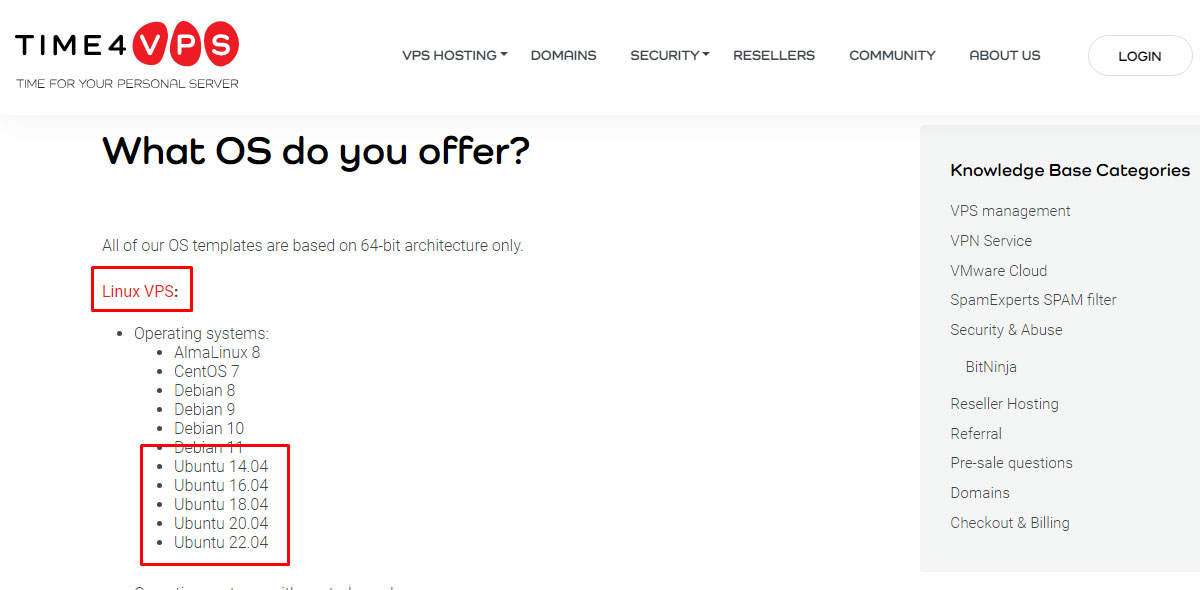
Currently, they support Ubuntu 20.04 and 22.04. If needed, you can request Ubuntu 14.04, 16.04, and 18.04. Unfortunately, there is no support for custom ISO. On the positive side, you can add RDP with 18.04.
It gives you complete remote control over your VPS.
You can not only add your panel but also add Bitninja security. Talking about add-ons, you will also have an option to add a 1 Gbps port. By default, the servers come with a 100 Mbps port which is quite disappointing.
Even the best (highest) plan comes with 100 Mbps.
It’s the best choice to go with if you want a Europe-based company. Talking about their technical support, it is quite good but not the best.
In simple words, in some cases, you will have to wait more for their assistance.
They also accept cryptocurrency with their Coinify payment gateway. You can also use other regular methods for payment. Talking about payments, they have flexible billing with no long-term commitments and even amazing discounts on yearly plans.
Starting price: €3.24 ($3.56) /month, renews at €6.49 ($7.12) /month. (2 months free if you go with the yearly plan)
Features of Time4VPS
- One-click deploys for Ubuntu and the control panel.
- Fully customizable Linux kernel where you can add/remove modules.
- Isolated resources with KVM virtualization.
- RAID-protected SSD with ECC DDR4 RAM.
- 98% uptime along with the best performance.
2. Vultr (Best price)
Vultr is the go-to choice if you are looking for the cheapest server with Ubuntu. It’s even cheaper than most shared hosting providers out there.
You don’t need to worry when you grow as Vultr provides the highest scalability.
Their general-purpose CPU provides up to 96 virtual cores. Looking for a cheap way to get started? start with their regular-performance CPU. The regular cloud has shared CPUs.
On the plus side, the resources are isolated due to the cloud environment making it a cheaper option.
Along with this, there are plenty of data centers to choose from. They have servers at 32 locations across the globe. This covers all the major countries.
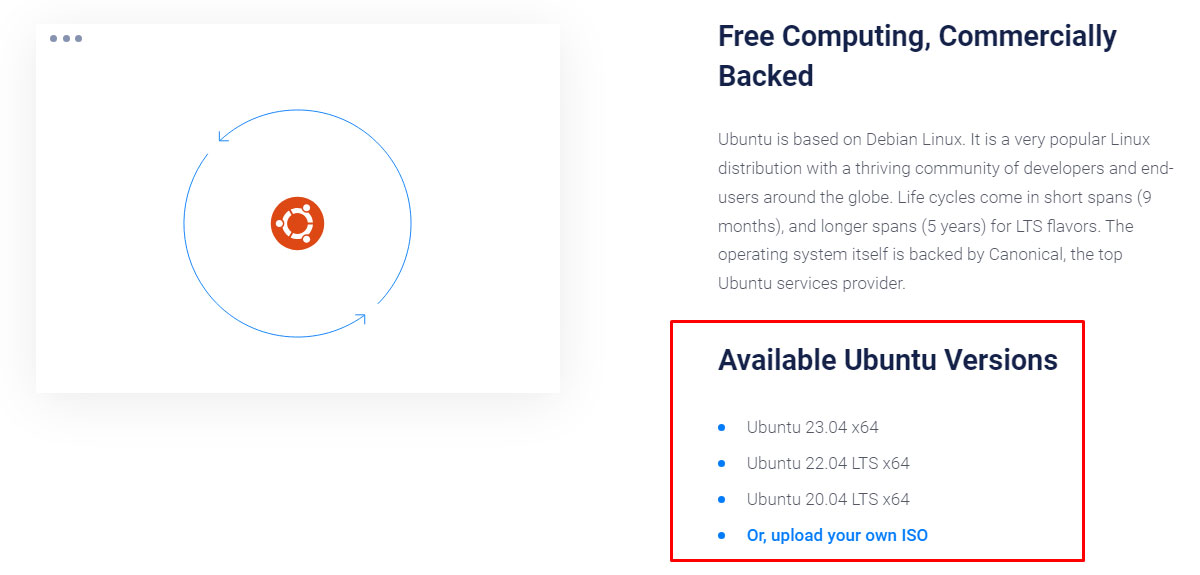
They offer multiple Ubuntu versions including 23.04, 22.04 LTS, and 20.04 LTS. They even have support for custom ISO. To manage the server, you can choose the preferred panel as well.
Vultr control panel is well-known for its mobile-friendly and interactive user interface.
You can rely on the performance as they provide 100% SLA uptime. However, the support could be better. They take more time to reply to queries and lack technical assistance.
As you are using Ubuntu as your primary OS, you will love Vultr despite its bad support. Their developer tools are amazing starting from a one-click install marketplace for apps to API to automate your cloud.
Starting price: $2.5 for regular performance cloud
Features of Vultr
- One-click deployment for OS (Ubuntu), custom ISO, panels, and apps from the marketplace.
- 100% SLA with IPv6 support.
- Developer tools with powerful API.
- Extra add-ons such as Load balancer, DDoS mitigation, etc.
- High-class AMD and Intel processors with NVMe disks and up to 25 Gbps port.
3. Kamatera Cloud VPS (Best overall)
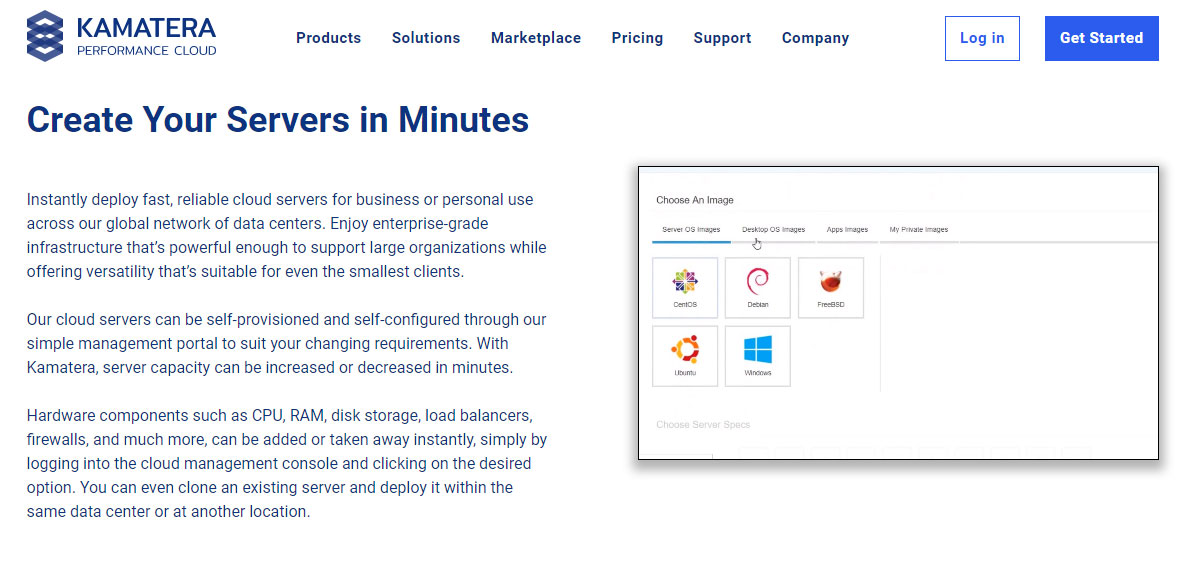
Kamatera is the most customizable cloud you can get. This drastically brings down the overall price. If you are looking for a specific specification such as extra storage or RAM, you can add it and configure the server accordingly.
The enterprise-level environment is spread over 18 data centers across 4 different continents. The server is fully reliable with pre-configured apps and services.
Let’s talk about the main reason you are here – OS.
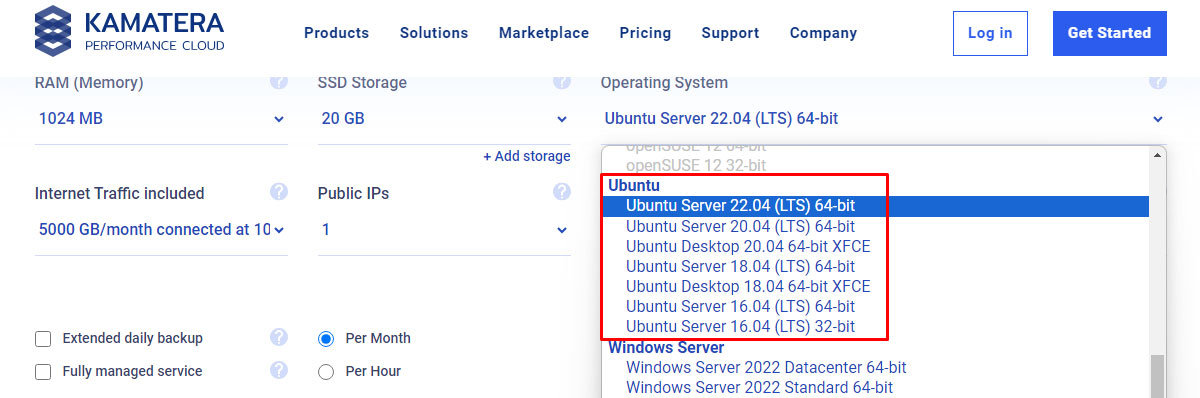
Kamatera provides a Ubuntu server as well as an Ubuntu desktop which is rare. You can select from 16.04, 18.04, 20.04, and 22.04. The 16.04 version even has 32-bit. For 18 and 20, you can get the XFCE version.
Not satisfied with available options? Get your custom ISO.
The cloud starts at a very low price and specs. However, you can go with their general-purpose CPU which has up to 104 virtual cores. You can add up to 16 drives as you want.
So, there is almost no limit to scaling. Unfortunately, there is no IPv6 support.
In most cases you will look for cheap price, reliable performance, and amazing support; Luckily, Kamatera has it all making it best VPS accordingly. They offer a 30 days free trial. Although certain limitations are imposed, it’s worth it.
It can be fully customized to fit your needs.
Starting price: $4 per month ($0.005 per hour)
Features of Kamatera
- 95% uptime with no single point of failure.
- 24/7 support along with managed service addon.
- One-click deployment with instant server setup.
- User-friendly control panel and flexible billing.
- Fully scalable with almost unlimited possibilities.
4. Hostinger

Looking for a hosting for IPv6? Hostinger supports IPv4 and IPv6. The VPS comes with KVM virtualization hence resources are isolated. The resources are quite limited as compared to other hosts.
However, you will get some extra features such as security, support, backups, etc.
Worried about security? Their AI-powered firewall protects your server from any mishappening. The support is always available to help whenever you want. The software also takes weekly backups of your entire VPS.
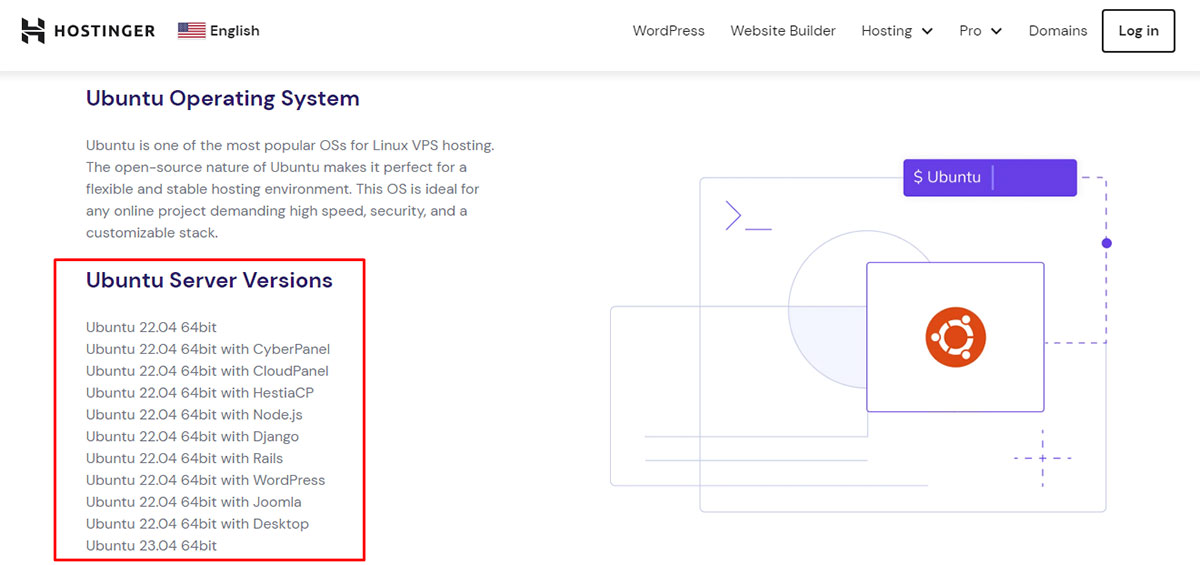
They only offer Ubuntu 22.04 and 23.04 versions.
Hostinger is a decent VPS suitable for testing purposes. It is not recommended due to their high renewal rate. The first invoice is cheaper but prices skyrocket when you renew.
The scalability is limited to 8 cores. Thereafter, you will have to change from VPS to other packages. That’s why we only recommend it for small short-term projects.
There is also a 30-day money-back guarantee if you don’t like the service.
Starting price: $12.99 per month (costs $5.99/m for yearly plan which renews at $7.99/m)
Features of Hostinger
- 300 Mbps port speed with 99.9% uptime.
- Ubuntu 23.04 support with one-click deployment.
- Dedicated IP address with every VPS.
- One-click scalability through KVM virtualization.
- 5 low-latency data centers across the globe.
5. Contabo (Best specs)
There are many scripts or web apps that only run if you have a specific amount of RAM or a number of cores. Contabo offers a high-spec server at a super-cheap rate. They use German-quality hardware.
So, you can pretty much rely on it.
The base plan starts with 4 vCores and 50 GB NVMe. They have multiple options if you want more storage. You can either add more NVMe storage or you can switch to HDD to get more storage at the same price.
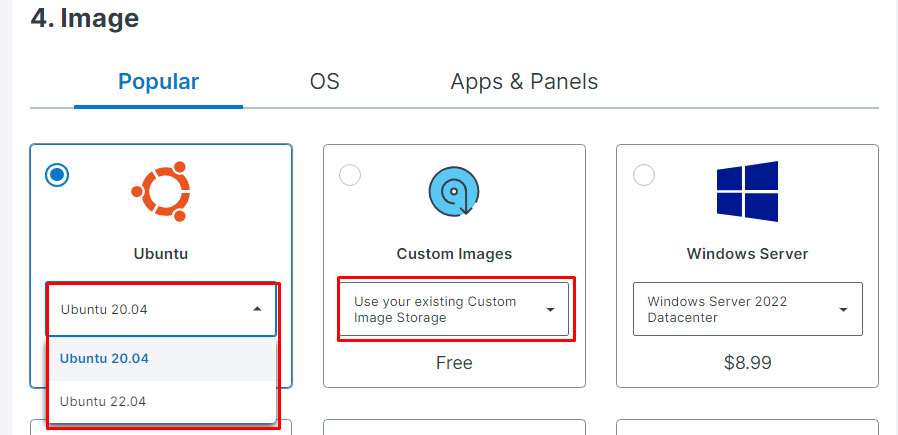
Looking for Ubuntu versions specifically? You can install the 20.04 or 22.04 version of Ubuntu OS. There are multiple data centers to choose from.
However, you will have to pay extra (up to $3.5/m) if you want a data center except in Germany.
With such positives, there are few negative ones too. Even though Contabo has the best spec, you can expect a slightly slower performance. Along with this, the support is average.
Due to their setup fee, people often go with a 12-month plan.
Starting price: $8.49 per month (setup fee of up to $8.49 if you go with less than a 12-month plan)
Features of Contabo
- DevOps features such as SSH, Cloud-unit, etc.
- Private networking with DDoS mitigation.
- DNS management with powerful API and CLI support.
- Web UI for beginners to manage the server effectively.
- AMD EPYC™ 7282 processors for cheaper price and better performance.
6. AlphaVPS
AlphaVPS uses OpenVZ virtualization in their cheap Ubuntu VPS. They also have KVM servers which cost a bit more. The OpenVZ servers have a shared kernel whereas KVM servers have a dedicated kernel.
Other than that, there are a few specification differences.
As long as you don’t have a need to run your dedicated kernel, their cheap VPS is the best choice. You can opt for KVM for better control. The data centers are available in multiple locations across the EU and the US.
Their servers support Ubuntu 18.04, 20.04, and 22.04 or custom ISO in KVM-based VPS. However, their OpenVZ VPS doesn’t support it. Their web panel is quite easy to use and comes with all the controlling options.
You can add your preferred panel from available ones.
They have multiple plans. However, you can get a maximum of up to 4 vCores in OpenVZ and up to 8 vCores in KVM servers. Therefore, it’s only recommended if you have a small-medium website with limited upside.
Their support is available anytime you want. Along with this, the performance is amazing. The servers are available as soon as you place your order.
There is no setup fee involved. You can start with as low as a 1-month plan.
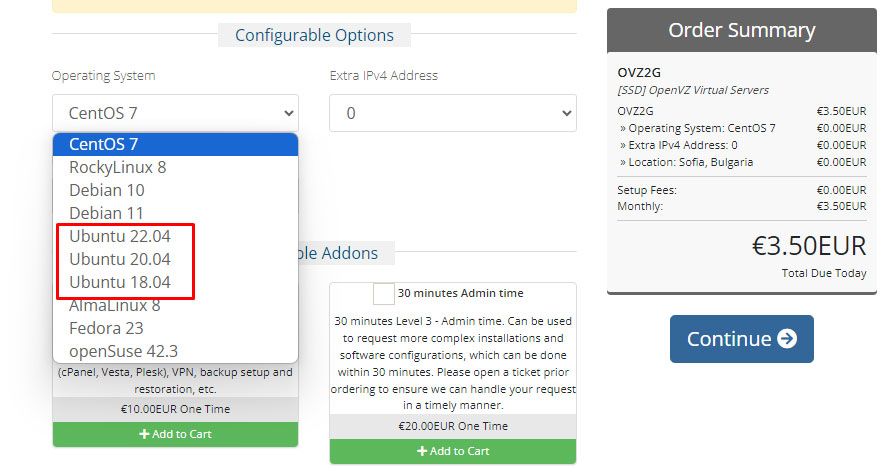
Starting price: OpenVZ server at €3.50 ($3.84) per month and KVM at €5 ($5.49) per month
Features of AlphaVPS
- Complete control over your server with an easy control panel.
- Premium support is available anytime you need it.
- Intel® Xeon® E5 processors with RAID 10 SSD.
- Docker and Kubernetes-ready KVM servers.
- 1 Gbit/s port for all the plans.
7. Cherry Servers Cloud VPS
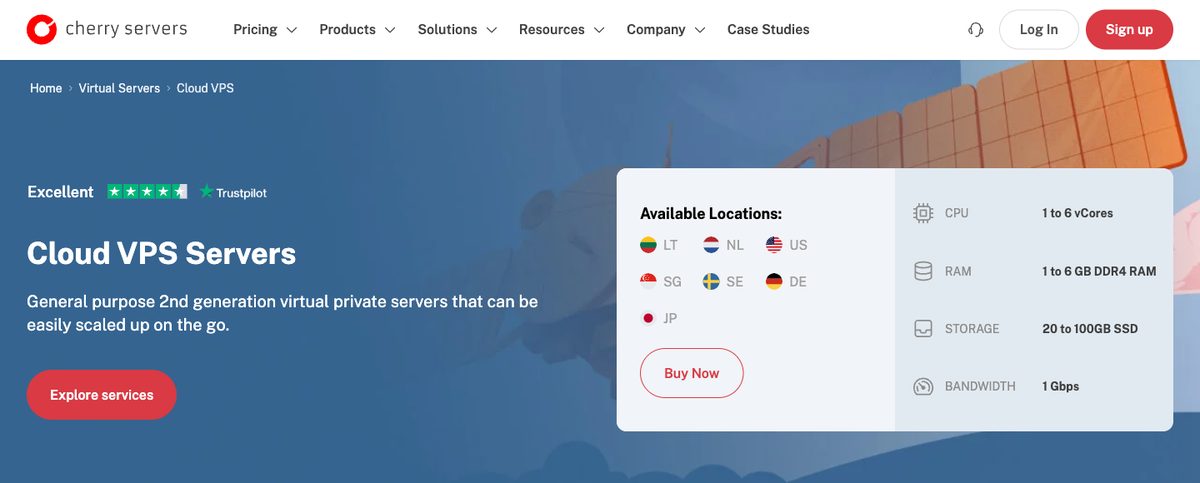
Cherry Servers is a Lithuanian infrastructure company best known for bare metal, but its Gen 2 Cloud VPS is one of the cheapest ways to get a clean Ubuntu server with a fast port. The entry plan costs $3.51 per month and already includes a 1 Gbps port.
You can deploy Ubuntu 20.04, 22.04, or 24.04 (64-bit), so the current LTS release is there along with the two before it. Cherry Servers doesn't offer older releases like 18.04, and there's no Ubuntu desktop image.
Location choice is strong for a VPS this cheap. You can pick from 7 locations: Lithuania, the Netherlands, Sweden, Germany, the US, Singapore, and Japan.
The plans are small, though. Cloud VPS 1 has 1 vCore, 1 GB of RAM, 20 GB of SSD storage, and 1 TB of monthly traffic. The range tops out at 6 vCores, 6 GB of RAM, and 100 GB of SSD. Upgrades are done from the client portal, but they need a restart, so plan a short downtime.
That makes it a good fit for a small website, an API, a VPN, or a dev server, but not for a busy WooCommerce store. Traffic above the included 1 TB costs extra, starting at $0.50 per TB.
You manage the server over SSH or the VNC console, and you can automate deployments with Cherry's REST API and CLI. A new server is usually ready in about 5 minutes. It's unmanaged, so updates and security are your job.
Billing is flexible. You can pay by the hour or choose a fixed monthly or annual term. Cherry Servers accepts more than 20 payment methods, including cards, PayPal, and cryptocurrency.

Starting price: $3.51 per month (1 vCore, 1 GB RAM, 20 GB SSD, 1 Gbps, 1 TB traffic)
Features of Cherry Servers Cloud VPS
- Ubuntu 20.04, 22.04, and 24.04 LTS images.
- 1 Gbps port on every plan with 1 TB of free monthly traffic.
- 7 locations across Europe, the US, and Asia.
- Hourly or fixed-term billing with crypto and PayPal accepted.
- DDoS protection against common attacks, plus optional backup storage of up to 2 TB.
8. InterServer
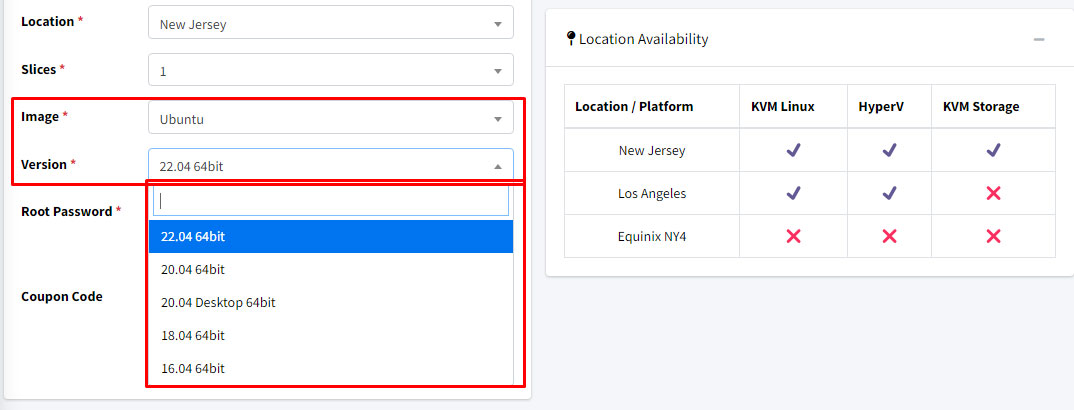
InterServer offers KVM and HyperV virtualization. Yes, it’s you who can choose which virtualization you want. There are multiple versions of Ubuntu available here starting from 16.04 to 22.04.
You can also get the 20.04 desktop version.
You will have to create an account to configure the VPS. As there are no initial first invoice discounts, you can register your account without any worries (the offer won’t expire).
They have created a slice of each server. A specific amount of specs is merged and each container is called a slice. The base plan is the 1st slice. You will get managed support if you get 4 such slices (that is 4 core CPUs).
For others, the support is average.
The scalability is great with up to 16 core support. As there are multiple plans, you can slowly upgrade your server as you start growing.
There are two data centers in New Jersey and Los Angeles (both in the US).
The biggest disadvantage you will feel after visiting the site is the lack of information. Their website has very little information as compared to others.
Therefore, it becomes quite a headache to decide.
For instance, they offer 1 Gbps port which is not mentioned anywhere. For information, you can either create an account or contact support via live chat. Yes, even the free support is decent.
So, you don’t need to get managed support. It’s surely a great VPS to start your journey.
Starting price: $6 per month
Features of InterServer
- 99% uptime guarantee.
- One-click deployment with Ubuntu desktop support.
- Self-healing hardware that automatically migrates nodes in case of failure.
- Vanilla-server with no useless scripts.
- Dedicated resources with KVM or HyperV virtualization.
9. AlexHost Ubuntu VPS
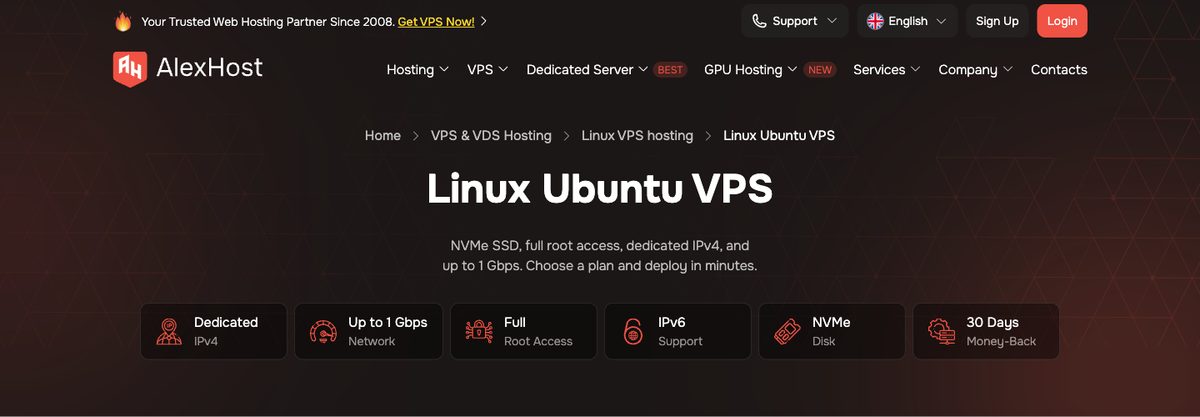
AlexHost is a Moldova-based host that sells its Linux VPS with Ubuntu ready to deploy. It's a good pick when you need an older Ubuntu release. AlexHost keeps separate Ubuntu VPS pages for 14.04, 16.04, 18.04, and 20.04, which helps if an old script only works on one of those versions.
The cheapest plan, U1, gives you 1 vCore, 1.5 GB of DDR4 RAM, and 10 GB of NVMe storage for €6 per month. Longer terms bring that down a lot. U1 costs €11.40 for 3 months or €40.80 for a year, which works out to about €3.40 per month.
U2 is the better value if you can pay yearly. It has 2 vCores, 4 GB of RAM, and 40 GB of NVMe for €60 a year, or €10 on monthly billing.
Every plan includes a dedicated IPv4 address, IPv6, full root access, and a 30-day money-back guarantee. You can deploy in 9 locations: Moldova, the Netherlands, Sweden, Bulgaria, Switzerland, France, the UK, Romania, and the US.
The weak spot is the network. The Ubuntu plans come with a shared 100 Mbps port by default. AlexHost offers a shared 1 Gbps port on its larger plans, but the entry plan stays at 100 Mbps.
The default plans run on Intel Xeon E5-2683 v4 nodes and are unmanaged. If you don't want to handle the server yourself, AlexHost also sells managed VPS, plus Ryzen and Platinum plans with newer CPUs at a higher price.
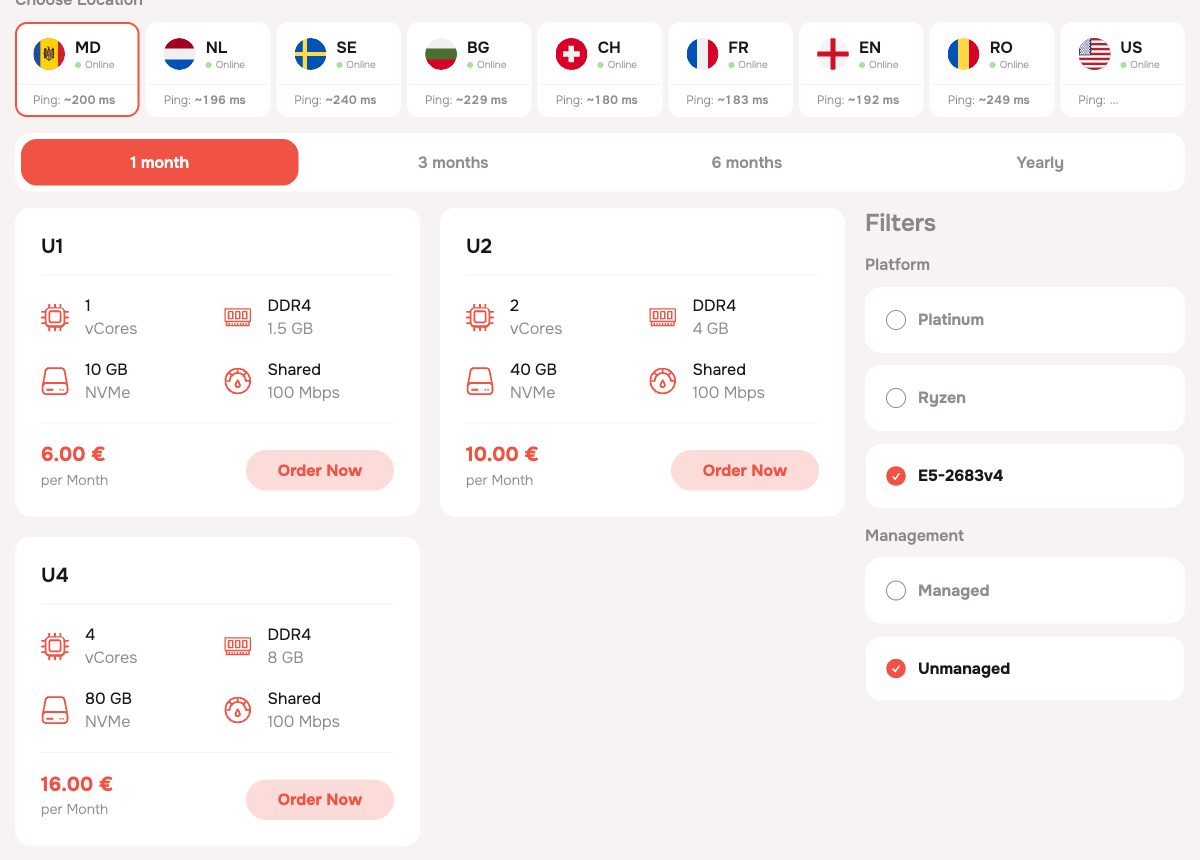
Starting price: €6/month for U1, or €40.80/year (about €3.40/month). U2 costs €10/month or €60/year.
Features of AlexHost Ubuntu VPS
- Older Ubuntu releases (14.04 to 20.04) for legacy scripts.
- NVMe storage with a dedicated IPv4 address on every plan.
- 9 VPS locations across Europe and the US.
- Big discounts on yearly billing.
- 30-day money-back guarantee, with an optional managed service.
Factors to consider when choosing an Ubuntu server
A Ubuntu-based cheap server is a great deal only if you pick the best one. So, it’s important to keep in mind certain factors before you choose one.

Here are 5 things to keep in mind.
- Performance and Resources: You can see the port speed to get the performance idea. You should also check resources such as type of CPU, cores, RAM, storage, storage type to make sure the server has enough resources to handle your expected workload.
- Reliability and Uptime: High uptime is necessary for better reliability. Look for at least 99.9% uptime.
- Scalability and Upgrades: The VPS should not only have high scalability but should also allow you to add resources as needed. See if you can use add-ons for additional resources. You can also see if upgrades are possible without migration.
- Network Connectivity: High connectivity and low-latency data centers are ideal for VPS. If the VPS provider has a data center near your primary audience location, it’s the best choice.
- Support and Customer Service: Many cheap Linux VPS don’t provide decent support. You should at least look for a service that has decent customer support with technical assistance. Novice? Check their support channels such as live chat, email, phone, etc.
While it’s important to get an affordable server, you should also try to get the maximum of the above factors in your server. It will enhance your overall experience.
Conclusion
When it comes to cheap and inexpensive Ubuntu server providers, reliability, performance and scalability are very much important. While keeping all these in mind, don’t forget to keep an eye on the price and the customer support they provide.
Here are a few best Ubuntu cloud/VPS to choose from if you still can’t decide.
- Best overall: Kamatera
- Best specs: Contabo
- Best price: Vultr
FAQ (Frequently Asked Questions)
Why is Ubuntu the best server?
Ubuntu is a free OS with no desktop environment by default so it can allocate maximum resources to server tasks. Along with this, it’s free and easy to use. So, Ubuntu is the best server.
Is Ubuntu VPS free?
Ubuntu is a free OS that is installed in a VPS. A VPS is paid.
Is Ubuntu no longer free?
Ubuntu is available for free as it was.