
Planning to go with SiteGround or already hosting with it? Then you are probably wondering, “Does SiteGround support NodeJS?”.
The answer changed in October 2026. Here is what works now, which plans include it and how to deploy an app.
Contents6
Does SiteGround support NodeJS?
Yes, since October 2026. SiteGround now hosts Node.js apps as Node.js Projects on its GrowBig, GoGeek and Cloud plans, at no extra cost. The entry StartUp plan doesn't include it.
How many apps you can host comes down to your plan:
| Plan | Node.js projects |
|---|---|
| StartUp | Not included |
| GrowBig | Up to 5 |
| GoGeek | Up to 10 |
| Cloud | Unlimited |
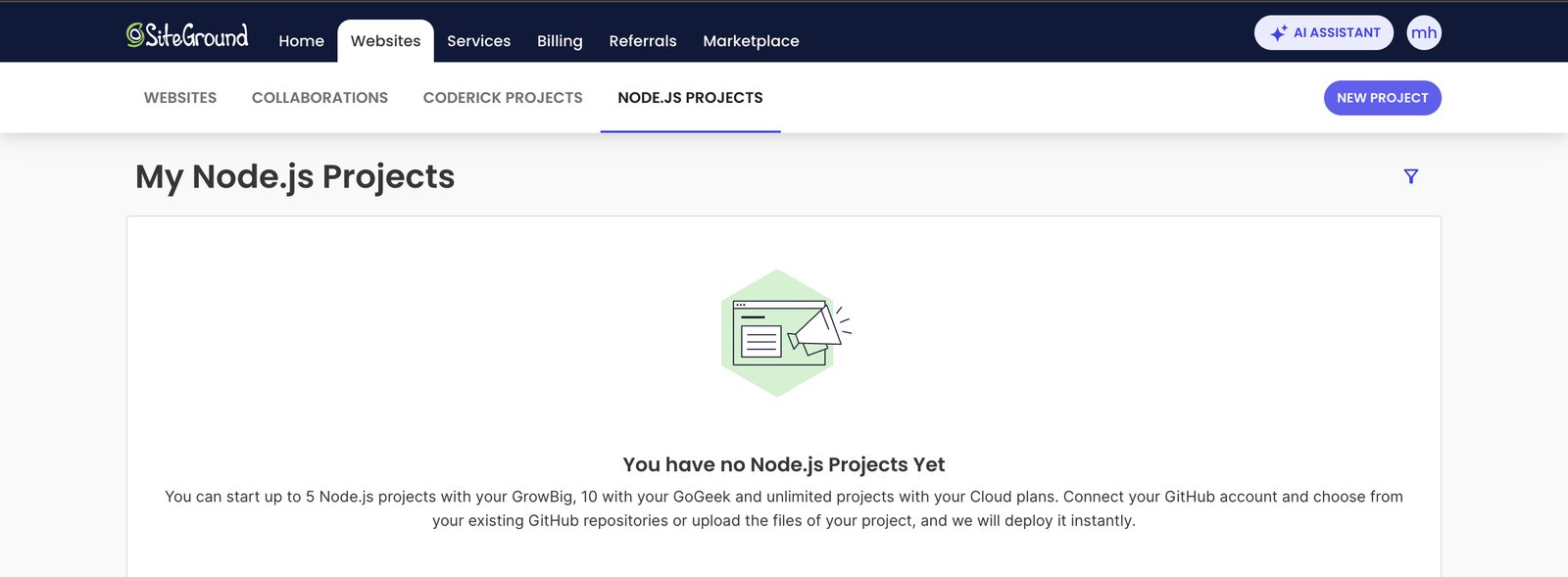
The Node.js Projects tab in the SiteGround Client Area (November 2026) shows the project limit for each plan.
Before October 2026, SiteGround had no official Node.js support. The only way to run an app was a workaround over SSH, which an earlier version of this guide described. You don't need it anymore.
How to Deploy a Node.js App on SiteGround
Everything happens in the SiteGround Client Area. There is no server to set up yourself.
- Go to Websites > Node.js Projects and click New Project.
- Bring in your code: connect a GitHub repository and pick a branch, or upload a ZIP file of your project.
- Check the build settings. SiteGround preselects a preset for common frameworks such as Next.js, Express, NestJS, Nuxt, Remix, Astro, Fastify, Koa, React, Vue, Angular, Svelte and Vite, and you can change it.
- Add your environment variables and deploy.
- New projects run on a free temporary domain first. When the app works, connect your own domain in the Client Area.
With GitHub connected, every push to the selected branch starts a new deployment. You can pause automatic deploys, and change or unlink the repository at any time. A project uploaded as a ZIP file can be linked to a repository afterward.
Inside the project's Site Tools, a Node.js section holds the deployment method, build settings, environment variables and logs.
Connecting to a Node.js project over SSH
SSH access for Node.js Projects arrived in early October 2026. Create a key in Site Tools > Devs > SSH Keys Manager, or import a public key you generated on your computer with ssh-keygen.
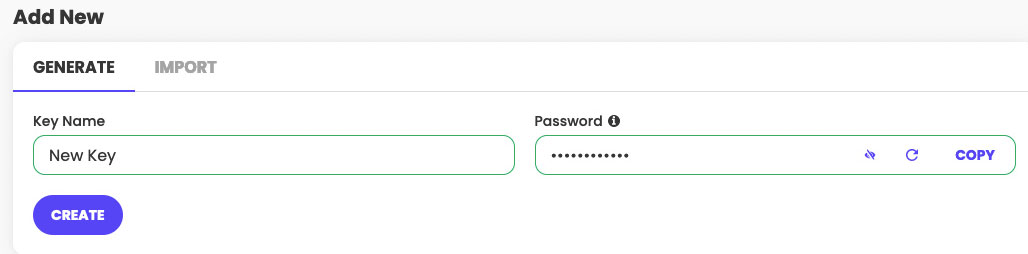
Over SSH, you can reach the project files and database and run npm, npx and database migrations. System tools such as top and ps aren't available.
What You Get With a Node.js Project
- Databases: the project can use MySQL or PostgreSQL databases, created in its Site Tools.
- Logs: build logs are in Site Tools > Node.js > Logs. Runtime errors go to Site Tools > Statistics > Error Log.
- Security: a free SSL certificate with forced HTTPS, password-protected folders and IP or country blocking, as on any other site in your account.
- Email: email accounts on your own domain are included once you connect it. They don't work on the temporary domain.
Apart from the project limit, a Node.js Project shares your plan's resources with your other websites. A busy app on a GrowBig plan competes with your WordPress site for the same CPU and memory.
Optimizing Node.js Performance on SiteGround
Your app shares the plan's resources, so keep it lean:
- Start with caching. It reduces server load and gives regular visitors faster responses.
- Minify or bundle front-end assets.
- Compress responses (gzip or Brotli) to reduce data transfer.
- Optimize database queries. Add indexes and cache frequent lookups.
- Check the logs after each deployment and fix slow routes and errors early.
- Middleware and third-party modules can eat up resources. Review them regularly and remove the ones you don't need.
Conclusion
SiteGround now supports Node.js officially on its GrowBig, GoGeek and Cloud plans, with GitHub or ZIP deployment and MySQL or PostgreSQL databases. On StartUp, you need to upgrade to GrowBig first.
I'd use it for small apps, and for projects that sit next to a WordPress site you already host on SiteGround. For heavy apps or full control over the server, a VPS is still the better fit. If a VPS sounds expensive, a cheap VPS service is a good middle ground.
FAQ (Frequently Asked Questions)
Can I host Node.js on shared hosting?
It depends on the hosting provider. Some shared plans now run Node.js apps. SiteGround, for example, includes Node.js Projects on its GrowBig, GoGeek and Cloud plans.
Which server supports node JS?
Many hosts support Node.js, including Hostinger (Unlimited and Cloud plans), hosting.com (formerly A2 Hosting), and DreamHost. SiteGround supports it too, on its GrowBig, GoGeek and Cloud plans since October 2026.
Where can I deploy node JS for free?
You can deploy NodeJS for free. However, you will have to pay the server charges.
Can we host node JS in cPanel?
cPanel is just a way to manage your server. So, it will depend on your web server whether you can use NodeJS or not.
Can I host NodeJS on HostGator?
HostGator shared hosting doesn’t allow NodeJS. However, it can be installed in VPS.